


Summary
Knowing HTML email best practices is crucial in the age of email. This is especially important due to the new policies implemented by Google and Yahoo for February 2024. This guide provides a comprehensive overview of email HTML and HTML email development, tailored to the 2024 landscape. It focuses on key strategies for successful email design to ensure that your emails are not only compliant, but also engaging and impactful for your audience.
1. Identify the goal of your template
The first step, is to define clearly what is the purpose of the communication. This foundational step influences all subsequent design decisions.
Whether your email is transactional, aimed at informing subscribers about something specific like an order update, or an email marketing designed to drive clicks and engagement towards a product, the clarity of purpose is key.

Each type of email demands a unique layout and approach.
A transactional email should be straightforward and informative, prioritizing clear communication of essential information.
On the other hand, a marketing email might be more visually engaging, focusing on attracting the subscriber’s attention and encouraging them to interact with your content.
The goal is to align your layout and design with the purpose of the email. This ensures that your subscribers can easily comprehend your message without any confusion. This alignment is crucial for effective communication and enhances the overall effectiveness of your email campaigns.
2. Understand and know your audience

To better connect with your audience, it’s important to know what devices they commonly use to read your emails. This information shapes how you’ll code your emails. For instance, if most of your audience reads emails on their smartphones, you’ll want to design for mobile first.
Tools like CanIemail can help you understand what coding practices are best for the devices your audience uses, ensuring your emails look great for everyone.
3. Use tables for layout
For those not familiar with email coding, using tables to build the structure of your email template is a smart choice. Tables can help ensure that your email design remains consistent no matter where it’s viewed.
They’re widely supported by email clients and can help ensure that your content looks the way you want it to. This is an easy way to create a reliable layout for your emails.
4. Use responsive design
Responsive design is crucial to ensuring that your emails look good on any device, including smartphones, tablets and desktops.
Many email service providers (ESPs) now include templates that are already responsive, so your emails automatically adjust to the screen they’re being viewed on. This makes it easier to maintain a professional look and a positive user experience across all devices.
5. Inline styles for your email HTML
When creating emails, it’s best to use inline CSS because some email clients do not support external stylesheets or may not support them latter.
Inline CSS
Inline CSS involves placing your CSS code directly into the HTML file, rather than in a separate stylesheet. This is done by including the style attribute within the HTML tags themselves. Each HTML element can have its own CSS style applied right where it appears in the markup, ensuring maximum compatibility with email clients that may not support stylesheets linked externally or embedded within the head of the document. This method is widely used in email development for consistent presentation across diverse email platforms.
You must use the balise “<style type=”text/css”></style>” and copy all your CSS code inside.
Additionally, using a CSS minifier can reduce the file size, which can speed up email loading times, providing a smoother experience for your recipients.
6. Image optimization
The image optimization is the combination of several points that will ensure faster loading times, better accessibility.
- Optimize images size, by compressing them to the minimum needed
- Include a descriptive alt text for accessibility by filling “alt” attribute
- Avoid images with text inside as it can be identified as a spammy approach
- Avoid GIF images, as they can be large files and not all email clients handle them well.

7. Clear Call-to-Action (CTA)
A well-crafted call-to-action (CTA) is essential to driving users to the desired action. Make your CTAs pop by choosing colors that contrast with the rest of the email and make them visually striking.
Write engaging copy that encourages clicks, and make sure the CTA button or link is large enough to be easily tapped on mobile devices. Link your CTA to a relevant and functional landing page.
In addition, make sure your domain is not blacklisted by ad blockers, which could prevent users from being properly redirected from your CTA.
8. Link usage
In your emails, it’s best to limit the number of links to avoid overwhelming your recipients and to steer clear of spam filters that may flag emails with too many links. Aim to include fewer than 10 links to keep your message focused and user-friendly.
9. Font standardization
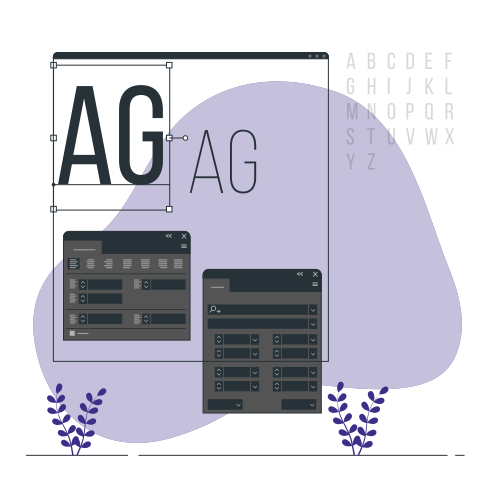
Using web-safe fonts in your emails ensures that your text appears consistently for all recipients, regardless of the email client or device they’re using. It’s a good practice to stick to these fonts for universal compatibility. If you choose a more unique font for stylistic reasons, be sure to specify a web-safe font as a fallback in your CSS. This way, if the primary font isn’t available, the email client will default to the web-safe option, maintaining the readability of your email.
Web-safe fonts
Arial, Georgia, Verdana, Courier New, Tahoma, Brush Script MT, Trebuchet MS, Impact, Times New Roman.
10. Avoid JavaScript
In your HTML email template, avoid JavaScript as it’s generally not supported by email clients. Focus on HTML and CSS to create your email’s structure and style. This ensures that all recipients will see the email as intended without functionality issues.
11. Avoid Flash and Embed
Flash and embedded elements are often not supported in email clients and can be flagged for security reasons. It’s best to rely on HTML and CSS, which are widely accepted and can create emails that work well across various platforms without such concerns.
12. Consistent branding across all your e-mails
For web developers, maintaining consistent branding in emails is crucial for building brand recognition. Use the same color schemes, logos, and messaging style across all emails. This reinforces your brand’s identity.
Additionally, it’s important to use link branding that reflects your domain, avoiding shared or generic domain names that might be mistaken for spam. This not only strengthens brand presence but also enhances email authenticity.
13. Messages parts in your HTML email development
When sending emails, it’s beneficial to include both HTML and plain text versions. This multipart alternative approach ensures everyone, no matter their email client or settings, can view the content. This is especially essential for users who might have limited email functionalities or prefer a simpler, text-only version for easier reading or for accessibility reasons.
It’s also important to maintain identical messaging in both versions for consistency. This practice not only improves accessibility but also enhances the user’s experience, especially when viewing emails on various web pages and devices.
14. Pre-header
The pre-header, also referred to as preview text or snippet text, is the small text shown at the beginning of an email. It provides a sneak peek of the email’s content. Including a well-crafted pre-header can encourage recipients to open the email.
It’s beneficial to incorporate a heading tag in the pre-header to enhance its visibility and structure, making it more prominent and accessible to the reader.
15. Subject line
For effective email campaigns, it’s essential to create a concise and engaging subject line. Aim to keep it short, ideally under 41 characters. This brevity ensures that the subject line is fully visible in most email clients, especially on mobile devices, and grabs the reader’s attention quickly. You can significantly increase open rates with a concise, thoughtful subject line.
16. Testing across email clients
Testing your email across different email clients is essential to ensure it looks good everywhere. Use tools like Litmus or Email on Acid to check for rendering issues across platforms. These tools can highlight inconsistencies and help you make the necessary adjustments for a consistent look.
In addition, it is a good practice to use an online W3C validator to check for any HTML code errors and ensure that your email complies with the latest web standards. This step is critical to delivering a professional and reliable email experience to your subscribers.
In conclusion, these HTML best practices are key to creating successful email campaigns. This includes understanding various elements such as responsive design, inline CSS, image optimization, and consistent branding. Implementing these best practices will ensure that your emails are not only visually appealing and compliant with current standards, but will also effectively reach and engage your audience.
Remember, every email is an opportunity to reinforce your brand and message, so make every HTML document count. By focusing on these critical aspects, you can greatly increase the impact and effectiveness of your email marketing efforts.
Transform Your Emails with MailSoar’s Expertise!
Struggling to keep up with HTML email best practices for 2024? MailSoar is your trusted partner in navigating the complexities of email HTML and development. With our expertise, your emails will not only be compliant but also engaging. Connect with MailSoar now for bespoke solutions that will enhance your email deliverability and captivate your audience. Let’s craft compelling emails together!

