
Since November 6, 2026, Outlook has been rejecting email from domains with no DMARC record, regardless of sending volume. This isn’t a spam folder problem: these emails are never delivered at all. Revenue, customer experience, sender reputation: here’s what’s at stake, and how to protect yourself.
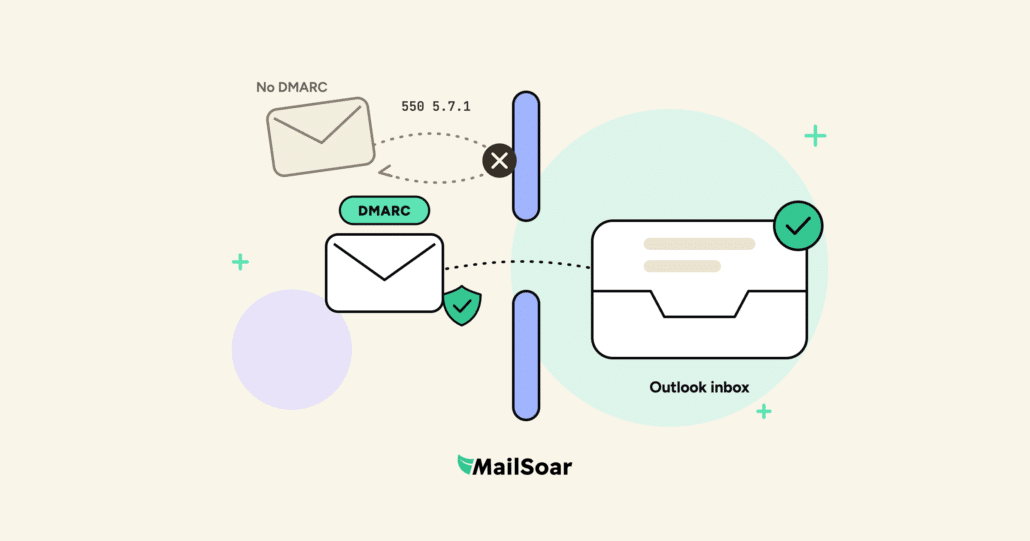
1. Rejected outright (550 5.7.1), not sent to spam
Until now, Microsoft only required DMARC from senders above 5,000 emails a day (Microsoft announcement). Since November 6, several email admins have reported rejections on the Mailop list for much smaller domains. Our tests at MailSoar point the same way: a low-volume domain with no DMARC record can no longer deliver to Outlook.
That’s a very different problem from spam. An email in the spam folder can still be read. A rejected email goes nowhere: Outlook refuses it on arrival and sends this back to your sending platform.
550 5.7.1 Message rejected: Message lacks SPF/DKIM/DMARC Auth RecordsThe message mentions DKIM, but our tests show a missing DMARC record is what triggers the rejection. It can also be sporadic: what gets through today may bounce tomorrow, which makes the problem easy to miss.
2. What it means for your business
Lost revenue on every campaign
Newsletters, promotions, cart reminders: every Hotmail and Outlook.com contact in your list now gets nothing. Your campaigns keep going out, but part of your audience has quietly disappeared.
Stuck customers, swamped support
Order confirmations, password resets, invoices: when these emails don’t arrive, customers can’t move forward. They contact your support team, or they give up. The issue lands on customer service, rarely on marketing.
Sign-ups that never get confirmed
Account creation, double opt-in, webinar registration: without a confirmation email, the contact is never activated. You lose a customer before their first purchase.
Contacts dropped from your lists
Many ESPs treat this rejection as a hard bounce and add the address to a suppression list. Even after you add DMARC, those contacts stay excluded until someone reinstates them.
A sending account under scrutiny
Your sending platform closely tracks your bounce rate. If it spikes, it may throttle your sends or suspend your account while it investigates.
3. Are you exposed?
You are if any of these domains sends email without a DMARC record:
- Your main domain, if it was never set up.
- A dedicated domain for your newsletter or transactional emails, say acme-news.com or acme-shop.com. A DMARC record on your main domain covers its subdomains, but not a separate domain (see our guide on email subdomains vs. separate domains).
- Tools that send on your behalf: ecommerce platform, review tool, billing, help desk.
The more Hotmail and Outlook.com addresses in your list, the bigger the impact, which is often the case when you email consumers. To check, filter your recent bounces by error code, and don’t confuse it with the one for bulk senders:
| Code | Who it targets | Cause |
|---|---|---|
| 550 5.7.1 … lacks SPF/DKIM/DMARC Auth Records | All senders (since Nov. 2026) | No DMARC record on the domain |
| 550 5.7.515 | 5,000+ emails a day (since May 2025) | SPF, DKIM or DMARC missing or misaligned |
4. Protect yourself in 5 steps
List every sending domain
Main domain, newsletter or transactional domains, plus every third-party tool sending on your behalf.
Publish a DMARC record
First check SPF and DKIM, which DMARC relies on (our article on email authentication covers the basics). Then add a TXT record to your DNS at _dmarc.yourdomain.com:
v=DMARC1; p=none; rua=mailto:dmarc@yourdomain.com. One record per domain. New to the jargon? See our deliverability glossary.Test it
Send to an Outlook.com address and confirm it arrives. Our free Inbox Test also shows where it lands: inbox, promotions or spam.
Reinstate dropped contacts
In your ESP, find the Hotmail and Outlook.com addresses that hard bounced with a 550 5.7.1 code since November 6, and reinstate them once DMARC is in place.
Read your reports, then tighten
DMARC reports show who sends on your behalf. Once every stream is aligned, move gradually to p=quarantine, then p=reject. Our DMARCbis implementation guide covers what’s changing in the standard.
Heads-up: p=none is enough to avoid Outlook rejections. But a stricter policy rolled out too fast can block your own legitimate email. It’s the most common mistake we fix in a deliverability audit.
5. What’s next?
Microsoft hasn’t officially commented yet, and business addresses hosted on Microsoft 365 aren’t affected for now. But the direction is clear: after Gmail and Yahoo in 2024, Microsoft is making DMARC a baseline requirement. Treat it as the minimum for any domain that sends email, starting now. The standard itself is evolving too, with DMARCbis, so it pays to plan ahead.
Keep reading: securing your email with DMARC · DMARCbis guide · emails going to spam · email deliverability FAQ · case studies.
6. Work with a MailSoar deliverability consultant to get DMARC right
Domain inventory, SPF, DKIM and DMARC setup, report analysis, reinstating dropped contacts, a safe path to p=reject: our consultants handle it all, without breaking your legitimate email.
Book a free 30-minute call with a senior consultant and walk away with concrete fixes. Book a call